Helping AAP Keep Pace with the Biotech Industry
Published July 12, 2023
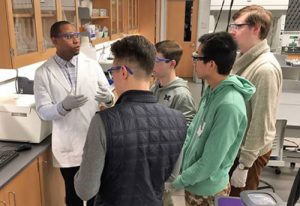
Meeting the needs of a rapidly evolving biotechnology industry—and those of graduate students seeking to serve and advance it—is no small challenge. For computational biophysicist Christopher Skipwith, Program Director for the Advanced Academic Programs division’s MS in Biotechnology program, it’s a challenge that requires a keen understanding of the field, a focused effort on curriculum development to ensure students graduate with cutting-edge skills, and curated relationships within the industry.
Skipwith joined JHU in August 2021 as program coordinator and, in July 2022, became program director. He also leads AAP’s MS in Regenerative and Stem Cell Technologies program and is a senior lecturer, teaching lab and independent research biotechnology courses and protein bioinformatics within AAP’s Center for Biotechnology Education. Read on for Skipwith’s insight into the MS in Biotechnology program, industry trends, future plans, and more.
What are the goals of the MS in Biotechnology program?
The general goal of the biotechnology program is to train leaders in advanced technical fields within biotechnology, geared towards industry. But in a more specific sense, there are four primary goals. The first goal is to use our industry connections and scholarly work to understand industry demands—what is at the leading edge of technological advancement in biotechnology—so that we can bring that to students through immersive lab experiences, coursework, and practical research experiences. The second is providing a curriculum appropriately structured for the evolving needs of biotechnology organizations. The third is building a flexible experience for students with clear paths or delineations based on the skills they want to acquire for their careers. And the fourth, which is essential, is forging partnerships with local industry leaders to provide targeted industry and regional knowledge that supports the biotechnology ecosystem.
How has the program changed since you arrived?
One of the things we’ve realized is that the majority of our population is online or hybrid, so we have developed more technical training for the online environment, including the development of an immersive, fully online laboratory course. We have also made changes to admissions requirements for the program and how students move through the curriculum along specialized pathways. For flexibility, we made more experiential courses hybrid in nature, where students spend most of the time online but have a one- or two-week intensive experience in person.
Probably the most significant change is that we have been recruiting researchers in the industry to provide projects that students can work on individually or collaboratively in the context of our research course or elective coursework, which provides pathways to jobs for students and opportunities for industry researchers to become adjunct faculty in our program.
What in your professional background supports your efforts in the classroom and in your leadership of the program?
My undergraduate training is in engineering, and I’m an engineer at heart. Still, my PhD is in biophysics, so I have always been interested in the connection between the more quantitative sciences and engineering and the biological sciences—applying that methodology to looking at the biotechnology ecosystem. Another thing I have always been interested in is looking at the biotechnology industry from an experimental perspective and deciphering how it is structured, financed, and maintained to determine how biotechnology products can be optimized. Regarding my research background, I’m a computational biophysicist, so I fit very nicely into two divisions within JHU’s Center for Biotechnology Education: the Biotechnology Division—which I lead—and the Computational Biology division. I also have a degree and certification in public health, so I have always been fascinated by the link between basic science research and public health and how we can translate new scientific discoveries to improve public health.
My postdoctoral work brought me into the startup world, where I did a lot of basic science work and consulting, which took me to my first faculty position. Through that experience, I worked with business and science leaders to determine how the development of clinical diagnostics can provide public value from both health and business perspectives. That’s really what led me to this program, because we are looking to support the biotechnology workforce and the needs of biotechnology organizations, and that requires a very intricate knowledge of biotechnology and the business of biotechnology.
What trends are currently underway in biotechnology and how do they affect how you prepare students?
There are three major trends in innovation in the biotech industry. First, virtual and decentralized clinical trials have accelerated, allowing companies to recruit more diverse patients and permitting the industry to participate in clinical trials to a greater extent. This means that young scientists—and even our students—can be involved in the process of implementing a clinical trial. As a result, many of our curricular developments are beginning to push away from basic science research and move into the translational world of clinical research.
The second trend is the growth and consolidation of contract research organizations, or CROs. What that means for students is that there are more opportunities to do basic and applied research, but also, there is less career certainty because these are contract positions. So, we are helping students build their skillset to work on several different projects, giving them a breadth of knowledge, which is essential since CROs move from project to project.
Finally, there has been tremendous growth in the use of advanced analytics in decision-making and processes in biotechnology. As a result, we are integrating more analytics-based decision-making into our courses, whether biotechnology enterprise-focused or those focused on the basic or clinical lab environments.
In addition to being an educator and program director you also consult in the industry. How does that impact your work at JHU?
It has a huge impact. I consult for two venture capital firms, evaluating the underlying science behind the technology of biotechnology startups for one and serving on the scientific advisory board for another. Another aspect of my consulting work is diversifying the scientific community by ensuring we provide pathways for those who traditionally have limited access to scientific resources, connections, and capital. In that role, I’m on the advisory committee for the Annual Biomedical Research Conference for Minority Scientists, which seeks to provide resources for underrepresented scientists to enter research careers. This is so important because, too often, when students can’t get into scientific careers, it’s not necessarily due to their racial or socioeconomic background but rather a lack of access to resources. So, we want to ensure equitable access to biotechnology resources for all emerging scientists and that we are recruiting a diverse student population into training programs.
What’s ahead for JHU’s biotechnology program?
To ensure we are on the edge of technological advancement, we will continue to refine and innovate in the online laboratory space to reach populations that we have not been able to traditionally reach—especially those who may not have the flexibility to come to campus. Along those lines, we expect to develop non-credit and other flexible options for credentialing and micro-credentialing.
I also expect us to partner with organizations that offer formal credentialing to prepare students to sit for exams or practicums. We are looking at alternative ways to structure courses so that people can participate on their own time and find immersive experiences in their local area. Partnerships with industry leaders will also allow our students to work on industry projects, providing a tangible benefit for companies and real-world experience for students.
And, of course, we will continue our efforts to diversify the student and faculty population. I’m a big proponent of ensuring the student population interacts with people who reflect their experience, identity, and career goals, so we actively recruit with diversity in mind—including ensuring breadth of scientific expertise and career paths.
I’m also very excited about working with the university’s Life Design Lab to develop career-oriented sessions that will help connect our students with local industry leaders. Overall, we seek to transcend the traditional borders of academia to supply well-equipped leaders to the global biotechnology ecosystem.
Interested in pursuing a graduate degree at Johns Hopkins University? Request information to learn more or apply here.